How to use
Follow these steps each time you play.
06 - Open the loader as administrator
Right-click the loader and pick Run as administrator. If you use a shortcut, right-click it and open Properties to set it permanently.
07 - Press Load
-
First launch
The loader installs the bypass - your computer restarts automatically. This is normal.
-
Second launch
The bypass is already in place - the software starts and you can continue to the next steps.
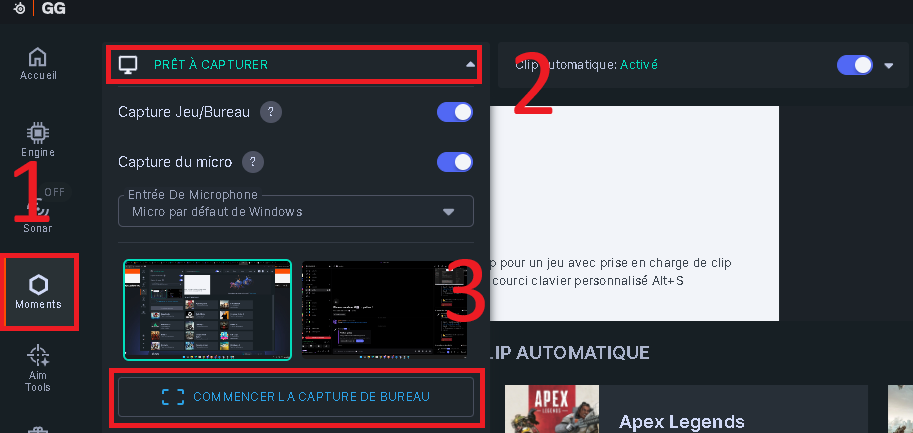
08 - Start desktop capture in SteelSeries GG
Open SteelSeries GG, go to the Moments tab (1), open the Ready to capture dropdown (2), then click Start desktop capture (3).
09 - Open your game, then press OK
Launch your game, then press OK in the popup from the loader.