Requirements
Complete these steps once before your first session.
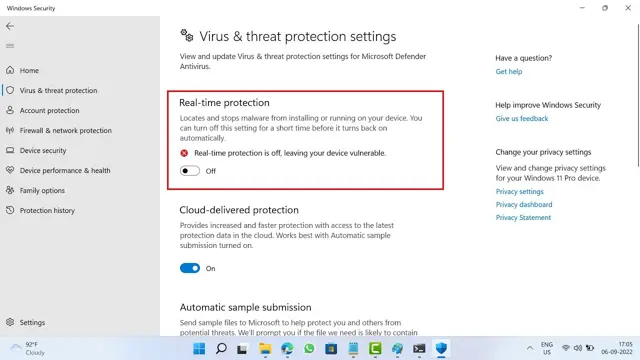
01 - Turn off real-time protection
Windows Defender will flag and delete the loader because of how it interacts with your game. Turn real-time protection off before downloading it.
02 - Install Visual C++ runtimes
Required for the loader to start. Install once.
Download VC++ Redistributable (x64)
aka.ms · official Microsoft download
03 - Install SteelSeries GG
The loader uses SteelSeries GG to render the overlay on top of your game. Install and sign in once.
Download SteelSeries GG
steelseries.com · official download
04 - BIOS configuration
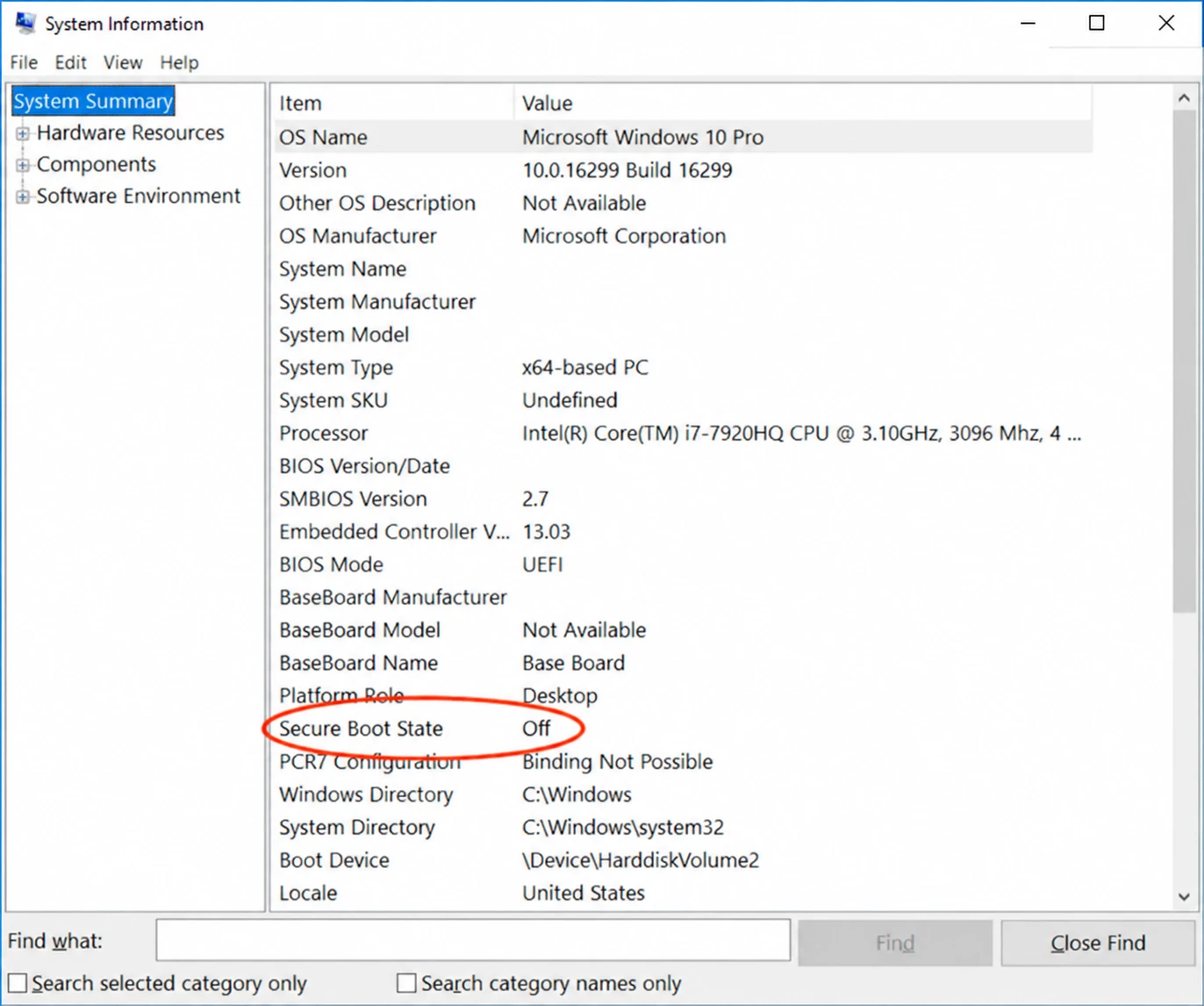
Secure Boot: Disabled
Press Windows + R, type msinfo32, Enter: Secure Boot State says Off.
ASUS - Boot > Secure Boot > OS Type: Other OS
MSI - Settings > Security > Secure Boot: Disabled
Gigabyte - Boot > Secure Boot: Disabled
ASRock - Security > Secure Boot: Disabled
Laptops - Security or Boot > Secure Boot: Disabled
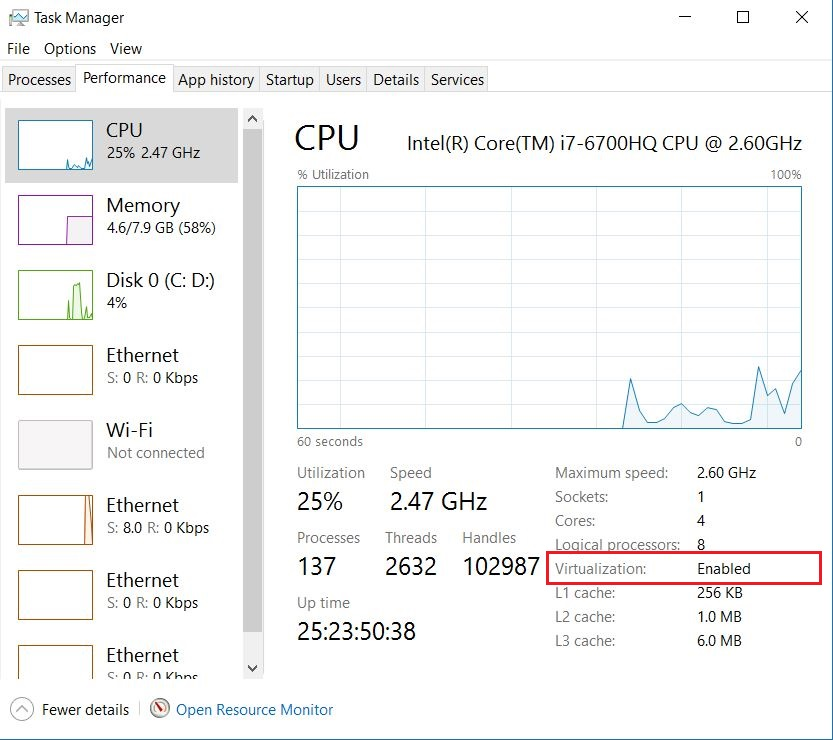
Virtualization: Enabled
Open Task Manager (Ctrl + Shift + Esc) > Performance > CPU: Virtualization says Enabled.
ASUS - Advanced > CPU Configuration > Intel (VMX) Virtualization Technology
MSI - OC > CPU Features > Intel Virtualization Tech
Gigabyte - Tweaker > Advanced CPU Settings > Intel Virtualization Technology
ASRock - Advanced > CPU Configuration > Intel Virtualization Technology
Laptops - Configuration or Advanced > Virtualization Technology
ASUS - Advanced > CPU Configuration > SVM Mode
MSI - OC > Advanced CPU Configuration > SVM Mode
Gigabyte - Tweaker > Advanced CPU Settings > SVM Mode
ASRock - Advanced > CPU Configuration > SVM Mode
Laptops - Configuration or Advanced > AMD Virtualization (SVM)
Open the BIOS: restart your PC and tap Del or F10 as it boots. Save with F10.
05 - Download your loader build
Your loader is tied to your license. Grab your latest build from the customer dashboard.
Get my loader
slyzz.fr · customer dashboard