How to Use
Follow every step in order — skipping one is the most common cause of issues.
1. Get your loader
Open this link → Dashboard then redeem your key after logging in then download your loader!
2. Windows Security
- Go to Windows Security and turn every protection OFF.
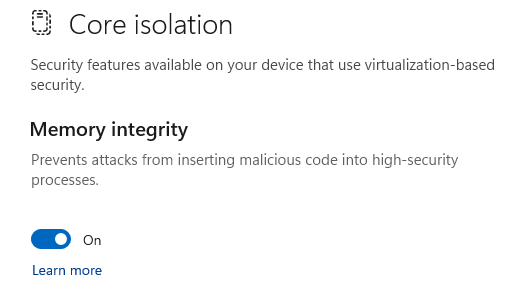
- Turn Core Isolation ON.
3. Runtimes
Download Visual C++, then DirektX, and lastly AIO Runtimes
Also download VC++x86 & VC++x64
4. Remove Vanguard
Vanguard must be fully removed before you run the loader — a normal uninstall isn't enough.
Uninstall Vanguard using Revo Uninstaller
5. Run the loader
- Run the loader, then Authenticate with your Dashboard.
- Wait until it tells you to Restart your PC, then restart.
- Open Riot Client to install Vanguard.
- Restart your PC again.
- Open the loader first and Authenticate with your Dashboard, then wait until it says "Waiting Valorant!"
- Open Valorant, wait for the menu to pop up & enjoy.
Something not working? Check Errors & Fixes.