Downgrade to 22H2 / 23H2
Microsoft's 25H2/26H1 update blocks anything not signed by Microsoft — reinstalling on an older build removes the issue and the risk from the fixes above.
Windows 11 ISOs
Windows 11 — 22H2
Google Drive
Windows 11 — 23H2
Google Drive
Setup
- Download Rufus, the ISO you want, & the config file below.
- Open Rufus & select your USB and the ISO.
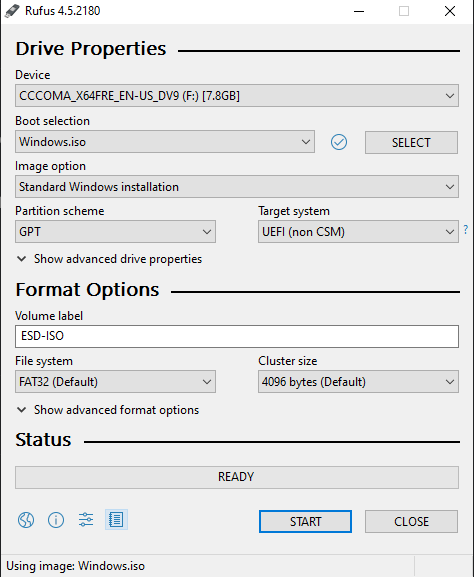
- Press Start, then press Yes.
- After pressing Yes, check boxes will appear — check them ALL, and for the last option choose Pro.
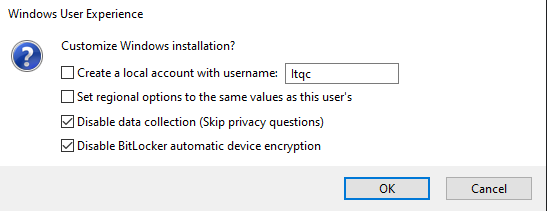
- Once it reaches 100% and states "READY", close it.
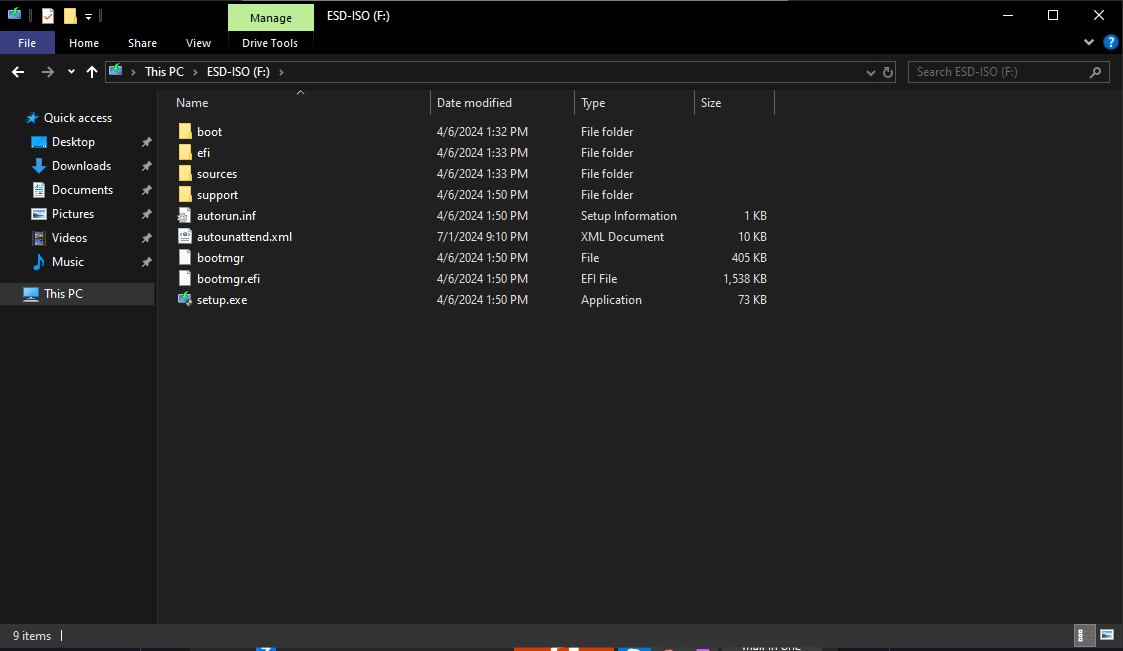
- Drag the config file below onto your USB.
autounattend.xml
local file · drop onto the USB root
- Once your USB looks right, go ahead and reinstall Windows.
Here's a video on how to reinstall Windows — skip the USB part, since we've already covered it above.